Live Rewind Audio Intelligence for Meetings and Busy Places
 0
0
 0
0
Direct Answer
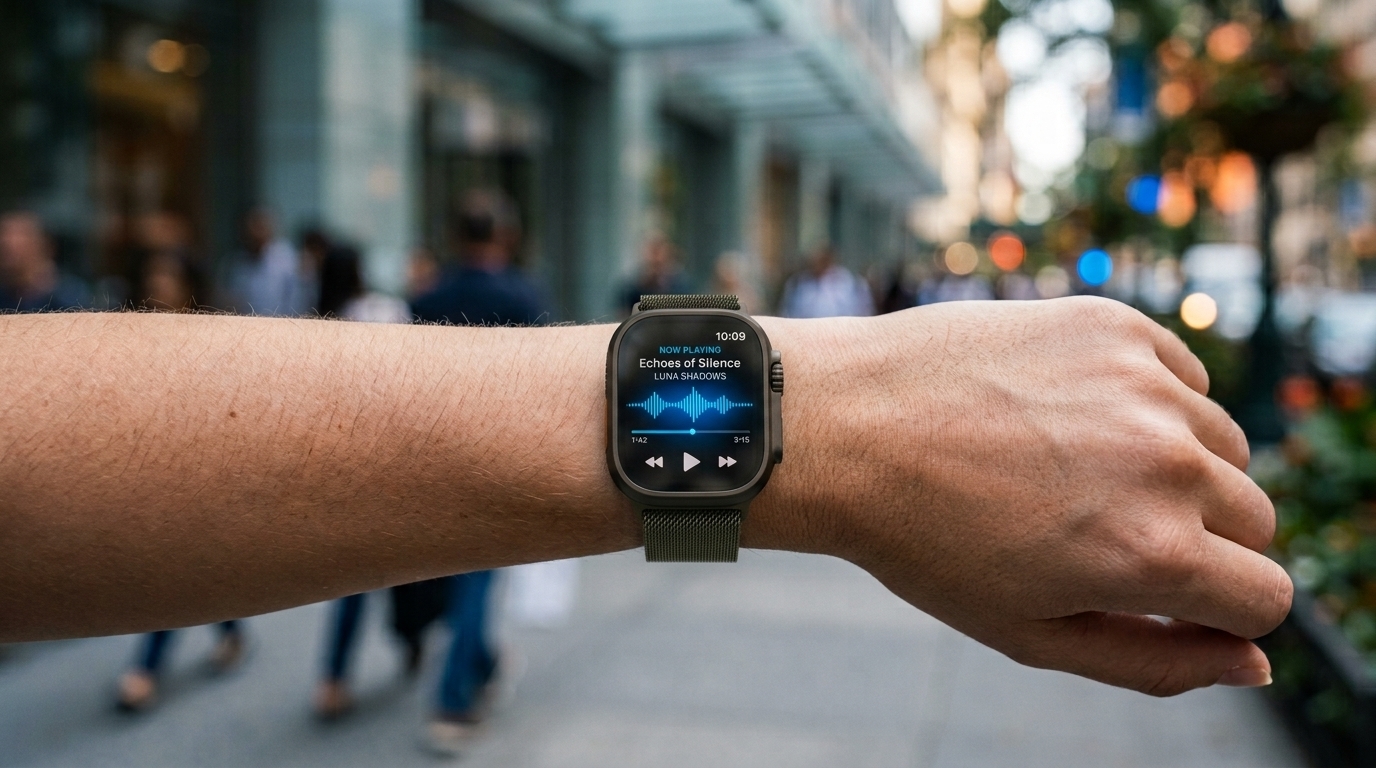
Apple Watch’s Live Rewind Audio Intelligence provides wearers with an immediate replay tool for spoken dialogue they missed. Initiating a rapid Digital Crown shortcut displays a concise text readout covering the previous 15 seconds, making it much easier to stay engaged during meetings, daily tasks, and noisy surroundings.
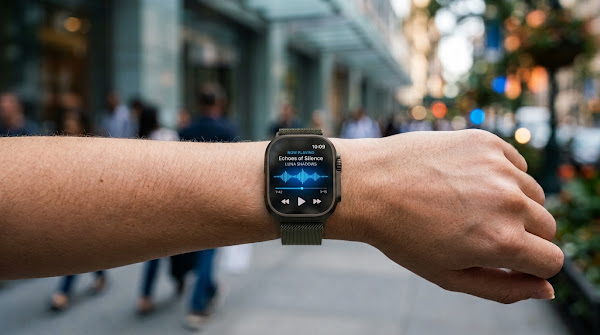
For meetings and busy places, the feature makes the Apple Watch feel less like a notification device and more like a quiet recovery tool.
Meetings Need Better Recovery
Meetings often move faster than attention. A short text look-back can catch the detail without derailing the room.
That is why Live Rewind Audio Intelligence belongs in the practical-AI category. It is not flashy; it is useful at the exact second attention slips.
Key Takeaways
-
Purpose-built to recover recently missed speech without breaking the flow of dialogue.
-
Functions as a key feature within Apple’s watchOS Audio Intelligence toolkit.
-
Initiated instantly using a quick double-press gesture on the Digital Crown.
-
Analyzes a short rolling buffer spanning approximately the last 15 seconds.
-
Displays captured audio as a clear, scannable text line directly on screen.
-
Assists users in workplace settings, loud errands, lectures, travel, and social events.
-
Yields the best results when triggered immediately after a listening gap occurs.
-
Serves purely as a quick recovery assist rather than a full-scale meeting recorder.
-
Demands ongoing awareness regarding situational etiquette and privacy expectations.
-
Operates at its peak as a rapid, real-time safety net during live dialogue.
How the Feature Works
The missed-speech moment
The utility addresses a universal daily friction point: someone speaks, the listener catches only part of the message, and the discussion moves on before there is a chance to ask for a repeat.
The shortcut interaction
Double-clicking the Digital Crown keeps user interaction minimal. The wearer scans the generated text line and promptly refocuses on the active speaker.
The text result
Rather than generating heavy, continuous transcripts, the system renders a brief text snippet—ensuring Live Rewind Audio Intelligence remains easy to read and straightforward to rely on.
Busy Places Change the Use Case
Dining rooms, public events, retail stores, and transit hubs introduce similar listening challenges. A user hears most of a phrase, loses a key word to background noise, and needs a quick way back into the loop. The tool succeeds by remaining invisible—offering instant context on display and stepping out of the way.
Where It Helps Most
Work conversations
A missed detail in a business conversation can involve a project deadline, office address, cost figure, client name, or critical instruction. Activating a quick 15-second rewind prevents minor distractions from turning into costly follow-up issues.
Public noise
Restaurants, stores, airports, and public gatherings frequently produce inconsistent listening conditions. Live Rewind offers a reliable fallback whenever ambient noise swallows a key sentence.
Learning environments
In a classroom, lecture hall, or corporate training session, a listener might lose track of a term or topic shift. Live Rewind Audio Intelligence recovers that moment on the spot so learning continues without interruption.
For people who occasionally struggle to catch every word in a conversation, having a quick way to review recent speech could also make the Apple Watch more useful as an accessibility tool.
Source: Information and compatibility details are based on Apple’s official Audio Intelligence support documentation.
What It Is Not
This feature should never be treated as a covert voice logger, a permanent audio repository, or a full transcription system. It functions strictly as a short-window assist for live conversations you are actively involved in.
Keeping this boundary tight is an advantage. It maintains clear expectations and separates simple daily convenience features from heavy-duty recording applications.
Privacy and Social Etiquette
Know the setting
Microphone-enabled tools naturally raise privacy considerations. Wearers should exercise good judgment regarding their environment and respect local guidelines alongside basic social courtesy.
Use it as assistance
The proper application is simple: catch up on words you missed during a conversation you are already a part of. It should not be used as a workaround to bypass interpersonal consent.
Quick Use Checklist
-
Spot the missed statement right as it occurs.
-
Execute the Digital Crown gesture without delay.
-
Read the generated text snippet on screen.
-
Pivot your attention straight back to the live discussion.
-
Use a dedicated audio-recording application when complete transcripts are required.
-
Confirm device compatibility and watchOS version support prior to relying on the feature.
Frequently Asked Questions
How far back does Live Rewind go?
It operates within a narrow 15-second rolling buffer, making immediate action necessary.
Does it save a full recording?
No. Live Rewind Audio Intelligence produces short temporary text snippets rather than preserving full audio files.
Why put this on Apple Watch?
Because the watch is readily accessible on your wrist during face-to-face interactions, tapping its crown shortcut is much faster than pulling out a phone.
Bottom Line
Live Rewind Audio Intelligence brings genuine value by solving a common, everyday problem. When spoken words slip past, Apple Watch provides a swift recovery option so you can stay present in the room.
Related Readings:
- What Is the Mac Studio M5 Performance Level?
- How Do You Smoothly Switch to a New iPhone 18?
- How to Master Apple Notes AI Features
- Related reading on boostupblogging.com: How to Change the Watch Face on Your Apple Watch; How to Solve Apple-Themed Crossword Clues Faster.